
ipad-air-4-not-charging-wont-turn-on-repair-hamilton-nz
iPad Air 4 Logic Board Repair and Microsoldering
iPad Air 4 Not Charging or Turning On? Complete Repair Guide in Hamilton NZ
If your iPad Air 4 is completely dead, not charging, not turning on, or showing no signs of life, the problem may be more than a simple battery fault. An iPad that appears completely dead can have a faulty battery, damaged USB-C charging port, charging circuit problem, short circuit, damaged component or a fault on the logic board.
At AppleFix & Tech Engineers in Hamilton, New Zealand, we diagnose and repair iPad Air 4 problems from straightforward LCD and battery replacement through to advanced component-level logic board repair and microsoldering.
This guide explains the most common iPad Air 4 faults and how professional technicians diagnose them.
iPad Air 4 Models We Repair
The iPad Air 4 was released in 2020 and is commonly identified by model numbers including:
- A2316
- A2325
- A2326
- A2072
If you are unsure which iPad Air model you have, we can identify the model during diagnosis.
iPad Air 4 Completely Dead – Not Turning On
One of the most concerning problems is when an iPad Air 4 suddenly becomes completely unresponsive.
Symptoms of a Completely Dead iPad Air 4
You may notice:
- iPad Air 4 won’t turn on
- No Apple logo
- No charging symbol
- Screen remains completely black
- No response to the power button
- iPad does not respond when connected to a charger
- Computer does not detect the iPad
- iPad stopped working after being dropped
- iPad stopped working after liquid exposure
- iPad became dead after charging
- iPad turns off and never comes back on
A completely dead iPad does not automatically mean the logic board is damaged. Several different components can cause a no-power condition.
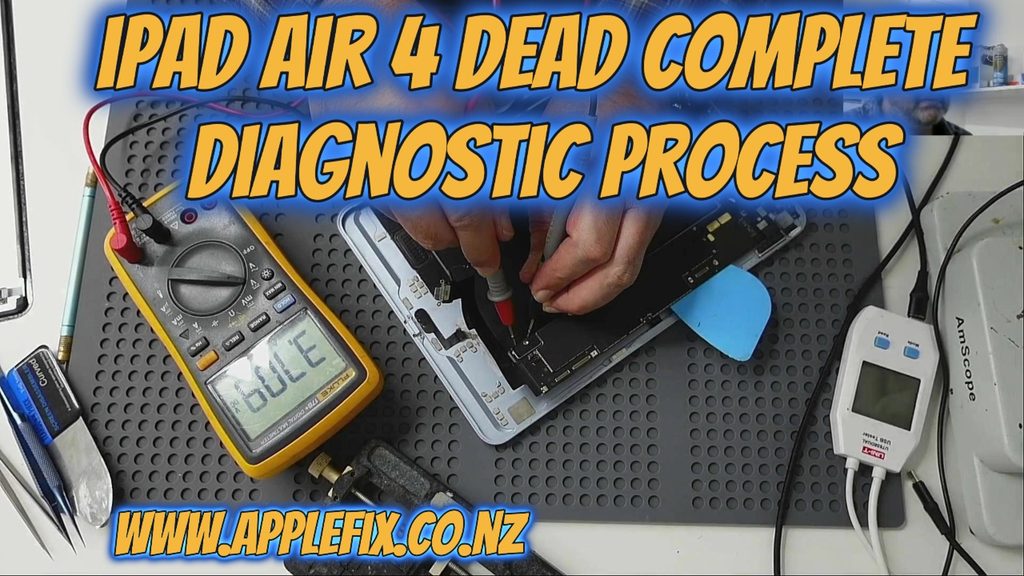
How We Diagnose a Dead iPad Air 4
Professional diagnosis can involve checking the charging port, battery, power rails and logic board rather than immediately replacing expensive parts.
We may use:
- USB-C charging and current measurements
- Multimeter testing
- Diode-mode measurements
- Resistance-to-ground testing
- DC power supply testing
- Thermal camera inspection
- Microscope inspection
- Boardview and schematic analysis
- Component-level troubleshooting
This helps identify whether the fault is related to the battery, charging circuit, power management or another component on the board.
iPad Air 4 Not Charging
If your iPad Air 4 is not charging, the charging problem can have several causes.
Common iPad Air 4 Charging Problems
The iPad may:
- Not recognise the charger
- Charge intermittently
- Charge very slowly
- Stop charging at a certain percentage
- Only charge when the cable is held at an angle
- Show no charging symbol
- Work with one cable but not another
- Stop charging after the USB-C port becomes damaged
Before assuming the battery has failed, the charging port and charging circuit should also be checked.
iPad Air 4 USB-C Charging Port Repair
The USB-C port is exposed to everyday wear and can become damaged by:
- Bent or broken connector pins
- Dirt and debris
- Damaged contacts
- Physical impact
- Pulling or twisting the charging cable
- Liquid exposure
iPad Air 4 Charging Port Replacement
If the USB-C connector itself is physically damaged, charging port replacement may solve the problem.
However, if replacing the port does not restore charging, the fault may be further into the charging circuit or logic board.
iPad Air 4 Battery Replacement
A worn or faulty battery is another common reason for charging and power problems.
Signs Your iPad Air 4 Battery May Need Replacement
Common symptoms include:
- Battery drains unusually quickly
- iPad shuts down unexpectedly
- iPad only works when connected to a charger
- Battery percentage behaves incorrectly
- iPad will not hold a charge
- iPad turns off at higher battery percentages
- iPad becomes difficult to power on
Battery Fault or Logic Board Fault?
A battery replacement is not always the answer to an iPad that will not charge.
A professional technician should test the battery and charging system before replacing parts. If a known-good battery does not solve the problem, further diagnosis may be required.
iPad Air 4 LCD and Screen Replacement
A broken or damaged display can make an otherwise working iPad appear dead.
iPad Air 4 Screen Problems
We repair iPads with:
- Cracked screens
- Broken LCD
- Black screen
- Touch not working
- Ghost touch
- Flickering display
- Lines across the screen
- Display showing strange colours
- Backlight problems
- Display damaged after a drop
iPad Air 4 LCD Replacement
If the iPad is powering on but the display is damaged, an iPad Air 4 LCD/display replacement may restore normal operation.
Before replacing the screen, we can test whether the iPad is actually powering on. This is particularly important when the screen is completely black.
iPad Air 4 Touchscreen Not Working
The touchscreen can fail even when the LCD image is still visible.
Common Touchscreen Faults
You may experience:
- Touch not responding
- Part of the screen not responding
- Ghost touches
- Touch working intermittently
- Touch stopping after a screen replacement
- Touch problems after physical damage
A proper diagnosis can determine whether the problem is caused by the display assembly, connector, damage or a logic board fault.
iPad Air 4 Charging IC and Power Circuit Repair
Not every charging problem can be fixed by replacing the USB-C port or battery.
Component-Level Charging Repair
The charging system contains multiple electronic components that work together to manage power entering the iPad.
If the iPad has:
- No charging
- Extremely low charging current
- No response to a known-good charger
- Charging that repeatedly stops
- A charging-related short circuit
the logic board may require component-level diagnosis.
Microsoldering Repair
At AppleFix & Tech Engineers, advanced board repairs can involve working directly on tiny components on the logic board.
Using a microscope and specialist equipment, a technician can inspect and repair damaged components rather than automatically replacing the entire logic board.
iPad Air 4 Logic Board Repair
The logic board is one of the most important parts of the iPad. It contains the main processing, power, charging and communication circuits.
When Does an iPad Air 4 Need Logic Board Repair?
Logic board repair may be required when an iPad has:
- No power
- No charging
- Short circuit
- No display
- No touch
- Random shutdowns
- Boot-loop problems
- Liquid damage
- Damage after an incorrect repair
- Component failure
- Charging circuit failure
iPad Air 4 Short Circuit Repair
A short circuit can prevent an iPad from powering on or charging.
During diagnosis, technicians can measure resistance and diode readings on relevant circuits to determine whether a power rail is shorted.
Finding a Shorted Component
A thermal camera can sometimes help locate a component that is heating because of excessive current flow.
Once the faulty area has been identified, the technician can inspect the surrounding circuit under a microscope and determine whether a component needs to be replaced.
iPad Air 4 Water Damage Repair
Liquid damage can cause anything from charging problems to complete failure.
Signs of Liquid Damage
An iPad may develop:
- No power
- No charging
- Screen problems
- Touch problems
- Random restarting
- Battery problems
- Corrosion
- Short circuits
- USB-C charging problems
Why Water-Damaged iPads Need Quick Attention
Liquid can continue causing corrosion even after the iPad appears dry.
If your iPad Air 4 has been exposed to water, coffee, juice or another liquid, avoid repeatedly trying to charge or power it on. Professional inspection can help determine the extent of the damage.
iPad Air 4 Back Glass and Housing Damage
Physical damage can affect more than the screen.
A significant drop can damage:
- Housing
- Display
- Internal connectors
- USB-C port
- Battery
- Logic board
- Cameras
If an iPad has been dropped and subsequently stopped charging or powering on, we recommend checking for internal damage rather than assuming the battery has failed.
iPad Air 4 Camera Repair
We also diagnose camera-related faults including:
- Rear camera not working
- Front camera problems
- Camera showing a black image
- Camera application crashing
- Camera damaged after a drop
- Camera problems after liquid damage
Camera faults can sometimes be caused by the camera module itself, while other cases require further board-level diagnosis.
iPad Air 4 Speaker and Microphone Repair
Problems with sound or voice recording can affect the user experience.
We can diagnose issues such as:
- No sound
- Low speaker volume
- Distorted audio
- Microphone not working
- Voice recording problems
- Speaker damage after liquid exposure
iPad Air 4 Wi-Fi and Bluetooth Problems
Connectivity faults can also occur after physical or liquid damage.
Common Symptoms
- Wi-Fi not turning on
- Wi-Fi disconnecting
- Bluetooth not working
- Bluetooth devices not connecting
- Weak wireless connection
Where appropriate, the fault can be investigated at component level rather than simply replacing the entire iPad.
iPad Air 4 Boot Loop or Stuck on Apple Logo
Another common problem is an iPad that powers on but never reaches the Home Screen.
Symptoms Include
- Apple logo appears and disappears
- iPad repeatedly restarts
- iPad stays stuck on Apple logo
- iPad starts but shuts down
- iPad enters recovery mode
The cause can range from software problems to hardware or logic board faults, so proper diagnosis is important.
iPad Air 4 Software vs Hardware Problems
Not every iPad problem requires hardware repair.
If your iPad is still detected by a computer or shows signs of life, software troubleshooting may be appropriate.
However, if the iPad is completely dead and shows no response after basic charging checks, hardware diagnosis may be necessary.
Why Diagnosis Matters
Replacing parts without identifying the actual fault can become expensive.
For example, an iPad that is not charging could have a:
- Faulty charging cable or adapter
- Damaged USB-C port
- Faulty battery
- Charging circuit problem
- Short circuit
- Logic board fault
Professional testing helps determine which one is responsible.
iPad Air 4 Repair in Hamilton, New Zealand
If you are searching for iPad Air 4 repair in Hamilton, AppleFix & Tech Engineers provides diagnosis and repair for a wide range of iPad faults.
We service customers in:
- Hamilton
- Cambridge
- Te Awamutu
- Morrinsville
- Huntly
- Ngaruawahia
- Raglan
- Matamata
- Taupiri
- Waikato and surrounding areas
From Screen Replacement to Component-Level Repair
Whether your iPad Air 4 needs a straightforward screen replacement, battery replacement or charging port repair, or has a more difficult no-power, short-circuit or logic board problem, the correct repair depends on proper diagnosis.
Our repair capabilities include:
- iPad LCD and screen replacement
- iPad battery replacement
- USB-C charging port replacement
- Charging fault diagnosis
- Power fault diagnosis
- Liquid damage repair
- Logic board repair
- Microsoldering
- Component-level repair
- Short-circuit diagnosis
- Connector and PCB repair
Frequently Asked Questions About iPad Air 4 Repair
Why is my iPad Air 4 completely dead?
A completely dead iPad Air 4 can have a flat or faulty battery, charging port problem, charging circuit fault, short circuit, liquid damage or logic board failure. Testing is required to identify the actual cause.
Why is my iPad Air 4 not charging?
Possible causes include a damaged USB-C port, faulty cable or charger, battery failure, charging circuit problem or logic board fault.
Can an iPad Air 4 charging port be replaced?
Yes. A damaged USB-C charging connector can often be replaced. If the charging problem remains after port replacement, further board-level diagnosis may be required.
Can you repair an iPad Air 4 logic board?
Yes, where repair is technically possible. Component-level diagnosis and microsoldering can be used for certain charging, power, short-circuit and other logic board faults.
Is it worth repairing a dead iPad Air 4?
It depends on the condition of the iPad and the cause of the failure. A professional diagnosis can determine whether the problem is a simple replaceable part or requires advanced logic board repair.
Do you repair iPad Air 4 A2316 and A2325?
Yes, we can diagnose and repair these iPad Air 4 models, including charging, battery, screen, power, liquid damage and component-level faults.
Need iPad Air 4 Repair in Hamilton?
If your iPad Air 4 won’t charge, won’t turn on, has a broken screen, has battery problems or is completely dead, bring it to AppleFix & Tech Engineers for professional diagnosis.
AppleFix & Tech Engineers
937 Victoria Street
Hamilton 3204
New Zealand
Phone: 07 839 4111 | 07 839 4188
Email: support@applefix.co.nz
If you cannot visit our Hamilton workshop, you can also send your device to us for repair:
Don’t assume a completely dead iPad needs a replacement. Proper diagnosis can sometimes identify a repairable component-level fault and save the device from unnecessary replacement.